Remote Bookkeeping: Is It Safe and Reliable for Your Business?
A practical guide from a local bookkeeper in Mt Juliet, TN, on how remote bookkeeping works, how financial information is protected, and what small business owners should know before choosing it.
BOOKKEEPING
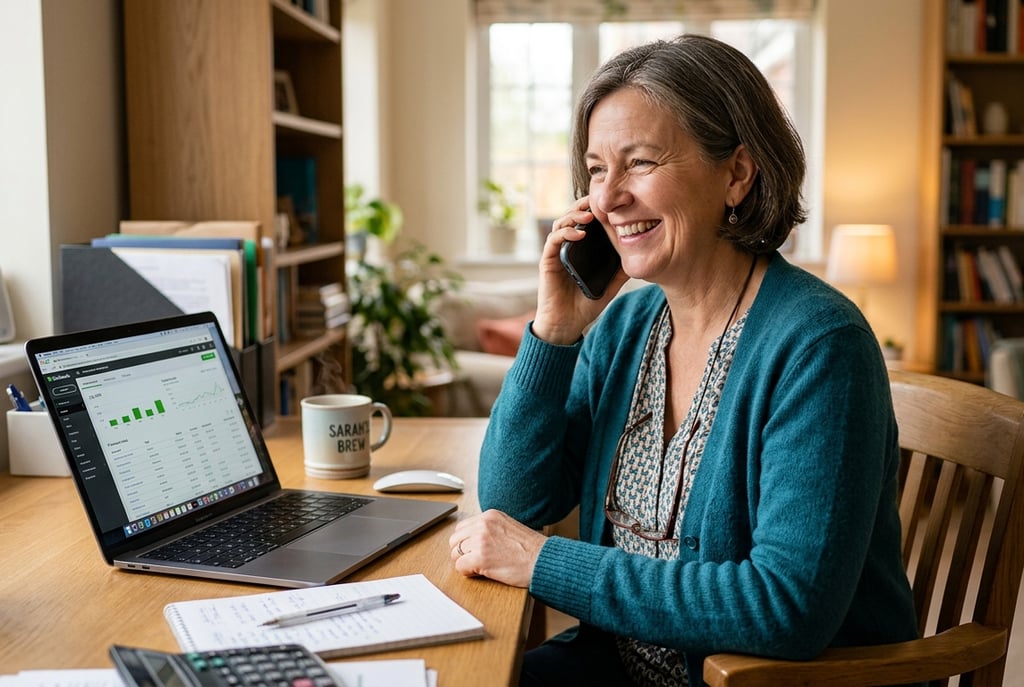

Remote Bookkeeping: Is It Safe and Reliable for Your Business?
If you’ve ever wondered whether remote bookkeeping is really safe, you’re not alone.
Many small business owners have understandable questions about how it works. You may be wondering:
Will my financial information stay secure?
Will I still be able to see what’s going on?
Is remote support as dependable as working with someone in person?
The short answer is yes—remote bookkeeping can be both safe and reliable when it is handled with the right systems, clear processes, and secure technology.
As a local bookkeeper serving Mt Juliet, Lebanon, and the Greater Nashville area, I hear these questions often. This guide explains why remote bookkeeping works well for many small businesses, what makes it secure, and how to decide whether it may be a good fit for yours.
Why remote bookkeeping works well for many small businesses
For many business owners, remote bookkeeping is simply a more practical way to stay organized.
It allows you to work with professional support without needing an in-house employee, and it often makes day-to-day financial management more efficient.
Some of the main benefits include:
Convenience
Your books can be updated and reviewed without needing in-person meetings for every step.Access from anywhere
Cloud-based tools like QuickBooks Online allow you to view your financial information whenever you need it.Consistency
A structured remote process can make monthly bookkeeping, reconciliations, reporting, and communication more predictable.Better organization
Digital records, secure uploads, and shared systems can reduce paper clutter and make documents easier to manage.Flexibility
Remote bookkeeping can work well for busy business owners who need support that fits into an already full schedule.
For many small businesses, remote support is not a compromise. In many cases, it is simply a more efficient and organized way to handle bookkeeping.
Is remote bookkeeping safe?
Security is usually the biggest concern, and for good reason. Financial information should always be handled carefully.
A secure remote bookkeeping setup typically includes several protections.
1. Encrypted cloud-based platforms
Tools like QuickBooks Online use strong encryption and security protocols to protect sensitive information.
2. Multi-factor authentication
Additional login verification helps prevent unauthorized access.
3. Controlled access
Permissions can be set so each person only sees the information they need.
4. Secure document sharing
Receipts, tax documents, and other files can be shared through secure systems rather than scattered across email threads or paper copies.
5. Automatic backups
Cloud platforms usually include regular backups, which help reduce the risk of lost data.
6. Clear processes
Security is not only about software. It also depends on consistent habits, organized workflows, and careful handling of financial records.
When remote bookkeeping is set up properly, it can be a very secure option for small businesses.
A common misconception about remote bookkeeping
Some business owners assume that remote bookkeeping means less visibility or less control.
In reality, the opposite is often true.
With cloud-based bookkeeping, you can often:
log in at any time
review reports when it is convenient for you
see up-to-date account activity
keep digital records organized in one place
communicate more efficiently about questions or changes
Instead of waiting for paperwork or in-person updates, you may have clearer access to your financial information than you would with older systems.
Common concerns — and a more balanced look
It’s normal to have questions before switching to a remote bookkeeping model. Here are a few of the most common ones.
“What if a mistake is made?”
No bookkeeping system is improved by guesswork or rushed work. A good process includes review steps, reconciliations, and regular reporting so issues can be caught and corrected promptly.
“Will I lose visibility into my books?”
With cloud-based bookkeeping, you can usually maintain real-time access to your records and reports.
“Is it more expensive than hiring in-house?”
For many small businesses, remote bookkeeping is often more cost-effective than hiring a full-time employee, especially if you do not need full-time accounting support.
“What if I prefer personal communication?”
Remote bookkeeping does not have to feel impersonal. Phone calls, video meetings, email, and scheduled check-ins can all be part of a strong working relationship.
What remote bookkeeping can look like in practice
Every business is a little different, but the process often looks something like this:
A review of your current setup
This includes your bookkeeping system, business needs, and any existing challenges.Organizing or cleaning up the books
If needed, accounts can be updated, reconciled, or brought current.Setting up a clear monthly workflow
This might include transaction review, reconciliations, payroll coordination, reporting, and document management.Ongoing communication and reporting
You receive regular updates and clear financial information to stay informed.
A good remote process should help you feel more organized, not less connected.
Is remote bookkeeping right for your business?
Remote bookkeeping may be a good fit if you:
want to save time on financial admin
prefer digital tools and organized online access
need regular monthly bookkeeping support
want clearer reports and more consistent financial visibility
value responsive communication without needing frequent in-person meetings
It can be especially helpful for small businesses that want dependable support while keeping operations efficient and flexible.
Final thoughts
Remote bookkeeping is not just about working online. It is about having a system that is secure, organized, and easy to maintain over time.
For many small businesses, it offers a practical way to stay on top of the numbers while reducing administrative burden and improving visibility.
If you have been unsure whether remote bookkeeping is safe or reliable, the answer often comes down to the systems being used and the quality of the process behind them. With the right tools and a careful approach, remote bookkeeping can be both dependable and secure.
If you have questions about how remote bookkeeping works, I’d be happy to talk through your current setup and help you determine whether it's a good fit for your business.